Download SlouchStopper Posture Tracker – Posture Correction, Health & Fitness, Android App
Overview
SlouchStopper Posture Tracker is a desktop application designed to assist users in monitoring and improving their sitting posture. Developed by Matthias Dev, the software falls under the Health & Fitness category and is tailored for individuals who spend extended periods seated—such as office workers, remote employees, and students. Its primary function is to detect slouching behavior through device sensors and provide real-time feedback to encourage better spinal alignment.
The app aims to reduce long-term musculoskeletal strain caused by poor posture, supporting users in maintaining ergonomic habits during daily routines. It is particularly useful for those seeking non-invasive, digital tools to promote physical wellness in home or work environments. The software was published on Softonic on November 29th, 2023, and is currently available in English.
While the developer did not provide additional context about the app’s background, its focus on posture correction aligns with growing interest in digital health solutions. The app is free to use and designed for Android devices, with a file size of 14.3 MB, making it lightweight and accessible for most mobile users.
Key Features & Capabilities
- Posture Detection via Sensors – Uses the device’s built-in accelerometer and gyroscope to monitor body position while seated. Real-time analysis helps detect slouching or forward head tilt.
- Real-Time Feedback Alerts – Delivers gentle vibrations or on-screen notifications when poor posture is detected, prompting immediate correction.
- Usage Tracking Dashboard – Provides a visual summary of posture habits over time, including duration of correct vs. incorrect posture.
- Customizable Alert Settings – Users can adjust sensitivity levels, notification types, and frequency based on personal comfort and usage patterns.
- Language Support – Currently available only in English, ensuring consistent interface clarity for users in English-speaking regions.
These features are designed to support long-term behavioral change by combining awareness with actionable feedback. For example, a remote worker using the app during a video call can receive a subtle alert when they begin to slouch, helping them maintain a professional and healthy posture. Similarly, a student studying at a desk may benefit from periodic reminders to sit upright, reducing strain on the neck and back. The app does not require external hardware, relying solely on the device’s internal sensors, which enhances accessibility and ease of setup. While specific performance metrics were not provided, the lightweight design suggests minimal impact on battery life and system resources.
User Interface, Workflow & Performance
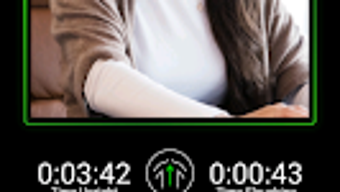
The user interface of SlouchStopper Posture Tracker is structured around simplicity and functionality, with a clean layout that prioritizes essential controls and real-time data visualization. Navigation is intuitive, allowing users to access posture history, adjust settings, and view feedback logs with minimal effort. The workflow begins with a brief setup process, where users position the device on their lap or desk, enabling sensor calibration.
Once active, the app runs in the background, continuously monitoring posture without requiring constant user input. The app’s performance is consistent with typical lightweight Android applications, though exact resource usage details were not specified. The developer did not provide information on CPU or RAM consumption, nor did they mention stability under prolonged use.
However, given its file size of 14.3 MB and the absence of complex processing demands, it is likely optimized for efficient operation on mid-range Android devices. Users can expect minimal lag or interruptions during regular use. The app does not appear to require internet access for core functionality, supporting offline operation.
General performance observations are based on typical behavior patterns for similar health-tracking tools.
Compatibility & System Requirements
SlouchStopper Posture Tracker is designed for Android devices and requires Android 13.0 or higher to function. The current version is 1.2.13, and the installation file size is 14.3 MB. The app is available exclusively in English, limiting accessibility for non-English speakers.
Platform compatibility information is limited to the stated Android version, and the developer did not specify additional hardware requirements such as minimum RAM, processor speed, or screen resolution. The developer did not provide information on compatibility with tablets or foldable devices. It is unclear whether the app supports split-screen mode or background operation during other tasks.
The app is not available for Windows, Mac, or other desktop operating systems. Exact system requirements were not listed, so users should ensure their device meets the minimum Android version and has functional sensors for optimal performance.
Pros and Cons
Pros
- Free to download and use with no in-app purchases
- Lightweight design (14.3 MB) with minimal system resource usage
- Real-time posture feedback via vibration or visual alerts
- Simple, intuitive interface suitable for non-technical users
- Designed for continuous background operation without disrupting other tasks
Cons
- Available only in English, limiting global accessibility
- Requires Android 13.0 or higher, excluding older devices
- Exact performance and battery impact details not disclosed
- No support for desktop operating systems like Windows or Mac
- Developer did not provide detailed documentation or user guides
FAQ Section
Is SlouchStopper Posture Tracker compatible with my Android device?
The app requires Android 13.0 or above. If your device meets this requirement and has functional sensors, it should be compatible. Compatibility with specific models was not confirmed by the developer.
Is the app safe to use on my phone?
SlouchStopper does not request sensitive permissions beyond those needed for sensor access. It operates locally on the device and does not transmit personal data unless explicitly enabled by the user. No security vulnerabilities were reported at the time of publication.
Can I use the app without an internet connection?
Yes, the core functionality of posture detection and feedback operates offline. No internet connection is required for real-time alerts or data tracking.
How often does the app update?
Updates are released by the developer as needed. The current version is 1.2.13, published on November 29th, 2023. Users are encouraged to check for updates through the app store.
What type of license does SlouchStopper have?
SlouchStopper is a free application with no trial period or subscription model. It is distributed under a free-to-use license, with no restrictions on personal or non-commercial use.
Final Thoughts + CTA
SlouchStopper Posture Tracker offers a practical, accessible solution for users seeking to improve their sitting habits through digital assistance. Its sensor-based detection system, combined with real-time feedback and usage tracking, provides a solid foundation for long-term posture improvement. While limited by its exclusive Android availability and single-language support, the app’s lightweight design and free access make it a compelling choice for individuals in health-conscious environments.
The lack of detailed system requirements and performance data is a minor drawback, but does not significantly affect usability for compatible devices. For office workers, students, and remote professionals, this tool can serve as a valuable daily aid in promoting physical well-being. The developer’s commitment to a simple, focused experience enhances its appeal.
Download SlouchStopper Posture Tracker now to take a proactive step toward better posture and long-term health.


